Wireless presentation, without the dongle.
Install in 30 seconds
- 1DownloadGrab PulseShare-Setup-0.1.25.exe from the button above.
- 2Run installerSmartScreen will warn (installer is not yet code-signed). More info → Run anyway.
- 3Name the roomFirst launch asks for the room name + your email — takes about 10 seconds. If Windows asks about a Public network, click Make Private.
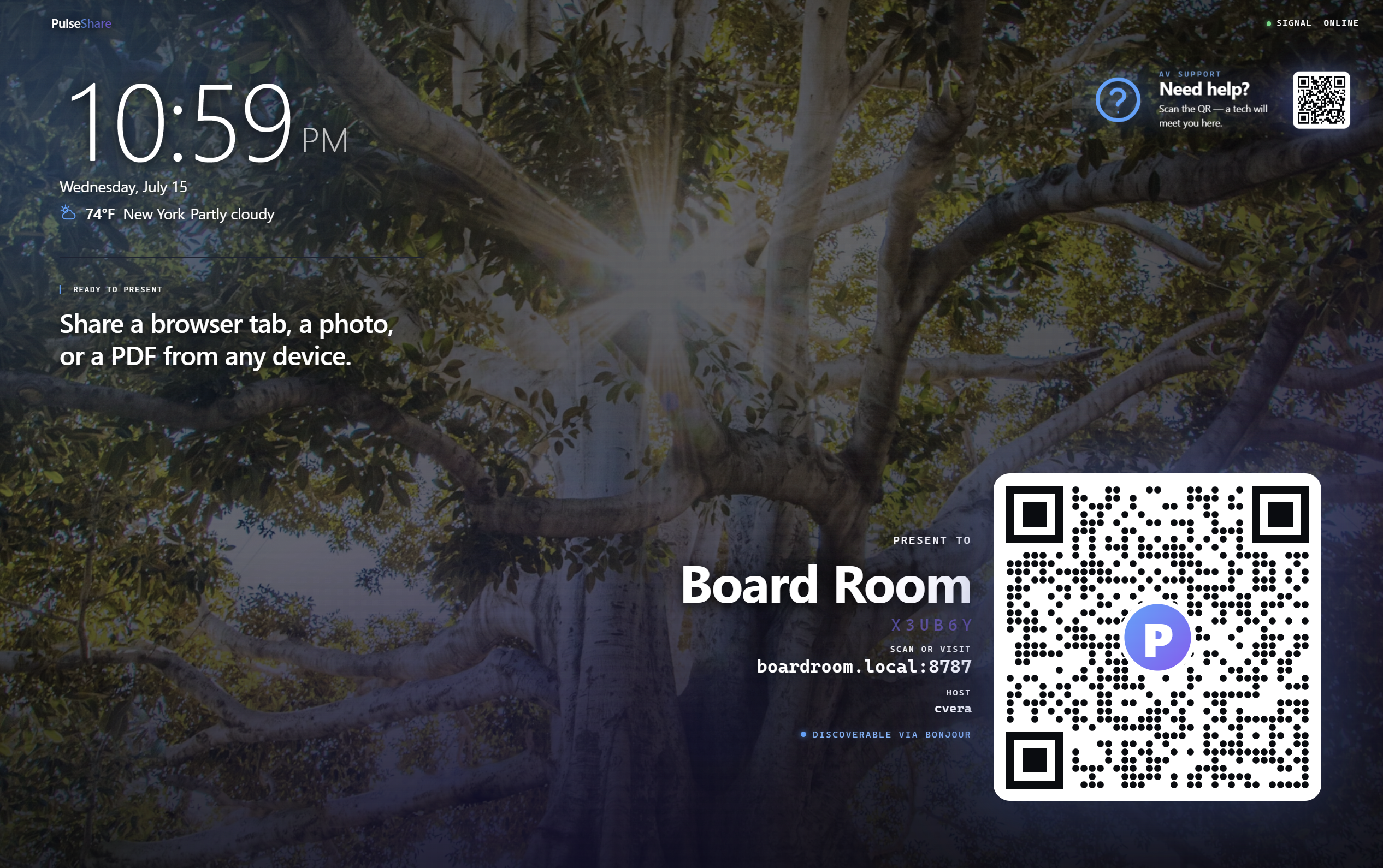
- 4PresentPulseShare shows the QR + short room code. Scan from any phone or laptop on the same Wi-Fi and share a screen, photo, PDF, or video.
Every screen in the building, shareable.
The receiver rides on the mini-PC you already deploy. The sender rides on the browser your guests already have. Everything else — signaling, discovery, presence, queue, signage — is bundled.
Software-only receiver.
Install PulseShare on the mini-PC that already lives behind the display. There is no dongle to buy, break, or lose. A single .exe replaces the $600–$2,000 appliance under every meeting-room table.
- ✓Runs on Windows 10 / 11 x64
- ✓Named-pipe seam for future native compositor
- ✓Idle atmospheric backdrop when nobody is presenting
Presenters just scan a QR.
The receiver shows a QR code and a short room code. Guests point a phone at it and share — no app to install, no Bluetooth pairing, no IT ticket. Works from any modern browser on any OS.
- ✓Screen share (desktop) via getDisplayMedia
- ✓Photo, PDF, PowerPoint (.pptx), and video-file share
- ✓iPad / iPhone fallback via camera + Screen Recording
Media never leaves the network.
PulseShare speaks WebRTC P2P over your LAN. The cloud is only used for optional signaling — screens, decks, and audio ride SRTP directly between phone and receiver. Nothing you present is ever relayed through us.
- ✓Signaling can run embedded in the receiver — fully offline
- ✓Self-signed TLS baked in for HTTPS on first launch
- ✓Customer-hostable TURN if hostile networks need fallback
Up to four presenters on screen at once.
Every joiner slots into the next free tile — the display flips from 1-up to 2-up to 3-up to 2×2 in real time. When the grid is full, tapping a queued presenter opens a picker to swap any tile. No handoff, no black-screen gap, no reconnect.
- ✓1 / 2 / 3 / 4 auto-layouts as presenters join and leave
- ✓Tap any tile to end just that share — others keep going
- ✓Grid-full picker swaps a tile in place without dropping the room
Rooms find themselves.
PulseShare advertises itself over Bonjour and SSDP. The companion Discover app browses every receiver on the LAN and lets you tap to join. Even Windows Explorer's Network folder lists it as a device.
- ✓mDNS/Bonjour service on _pulseshare._tcp
- ✓UPnP root device with presentationURL
- ✓Public-Wi-Fi banner + one-click "Make Private"
The screen earns its keep between presenters.
When no one is sharing, the receiver runs a cinematic atmospheric backdrop — curated photos, live Earth from DSCOVR at L1, drone videos — with a rotating floater card that surfaces AV help, Wi-Fi, meeting details, coffee, and booking.
- ✓26 curated photos + NASA EPIC + drone videos
- ✓10-second content morph with drift + breath animations
- ✓Live clock, weather, room name, and QR always in reach
Priced per device — not per room appliance.
One installer, one MachineGuid, one license slot. Deploy to any Windows mini-PC you already own. Every install starts on a 15-day free trial — no credit card, no friction for the person running the pilot.
15-day free trial. Card only charged after trial ends. Includes all software updates during the license term.
- ✓Up to 4 presenters share the display simultaneously
- ✓Screen, camera, photo, PDF, PowerPoint, and video sharing
- ✓Auto 1/2/3/4-up grid + tap-to-swap when full
- ✓Bonjour + SSDP zero-config discovery
- ✓AirPlay mirroring built in (iPhone / iPad / Mac)
- ✓LAN-first — media never touches our cloud
Rolling out to more than five rooms? You get a fleet license with a single activation code, a shared device dashboard, and a per-room rate that beats the per-device sticker.
- ✓One activation code for the whole fleet
- ✓Shared device dashboard — see every room
- ✓Reassign license slots when hardware changes
- ✓Priority email support during rollout
- ✓Custom idle-screen branding on request
- ✓Invoice billing, PO friendly
How the stream gets there.
Signaling runs on the receiver itself over WebSocket. Sender and receiver exchange SDP + ICE, then media rides SRTP-over-WebRTC directly between them. Cloud is not in the media path. TURN is only invoked if the network refuses UDP, and it can be customer-hosted.
Any mini-PC you already have.
- ✓Windows 10 or 11 (64-bit)
- ✓4 GB RAM minimum, 8 GB recommended
- ✓Any display connected via HDMI or DisplayPort
- ✓On the same LAN as presenters (Wi-Fi or Ethernet)
- ✓500 MB disk (~237 MB installer)
Free during the beta.
Chosen builds ship as the receiver matures. The installer isn't yet code-signed, so SmartScreen will warn on first run — that goes away when the EV cert lands. Everything else — LAN-only privacy, browser sender, moderator queue — is already working end-to-end.
Report a bug →